
TIPPACE
Free trial
USD $0
- 20 manual shifts with no time limit
- All existing records and history
- Multiple jobs and basic statistics
- CSV import and export
- Full backup and restore

Shift Income & Paycheck Log
TipPace helps servers, bartenders and other shift workers track tips, hours and estimated wages by job. See daily net tips and review earnings by pay period.
iOS & Android planned · USD / CAD ledger · No sign-up
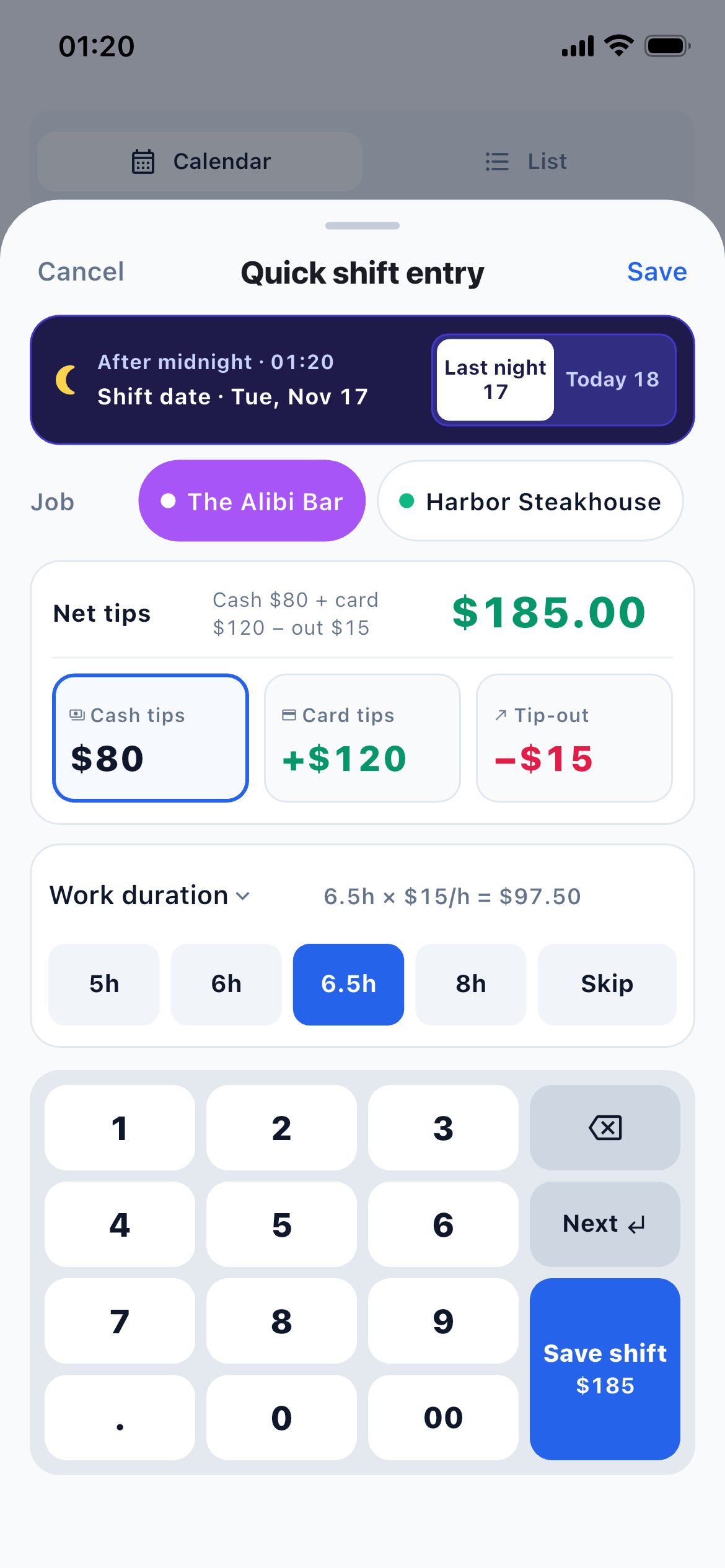
Enter cash tips, card tips and tip-outs together. Tap a common duration or enter your own hours.
For early-morning entries made before 5 a.m. without a date selected, you can start with the previous day and confirm the date before saving.
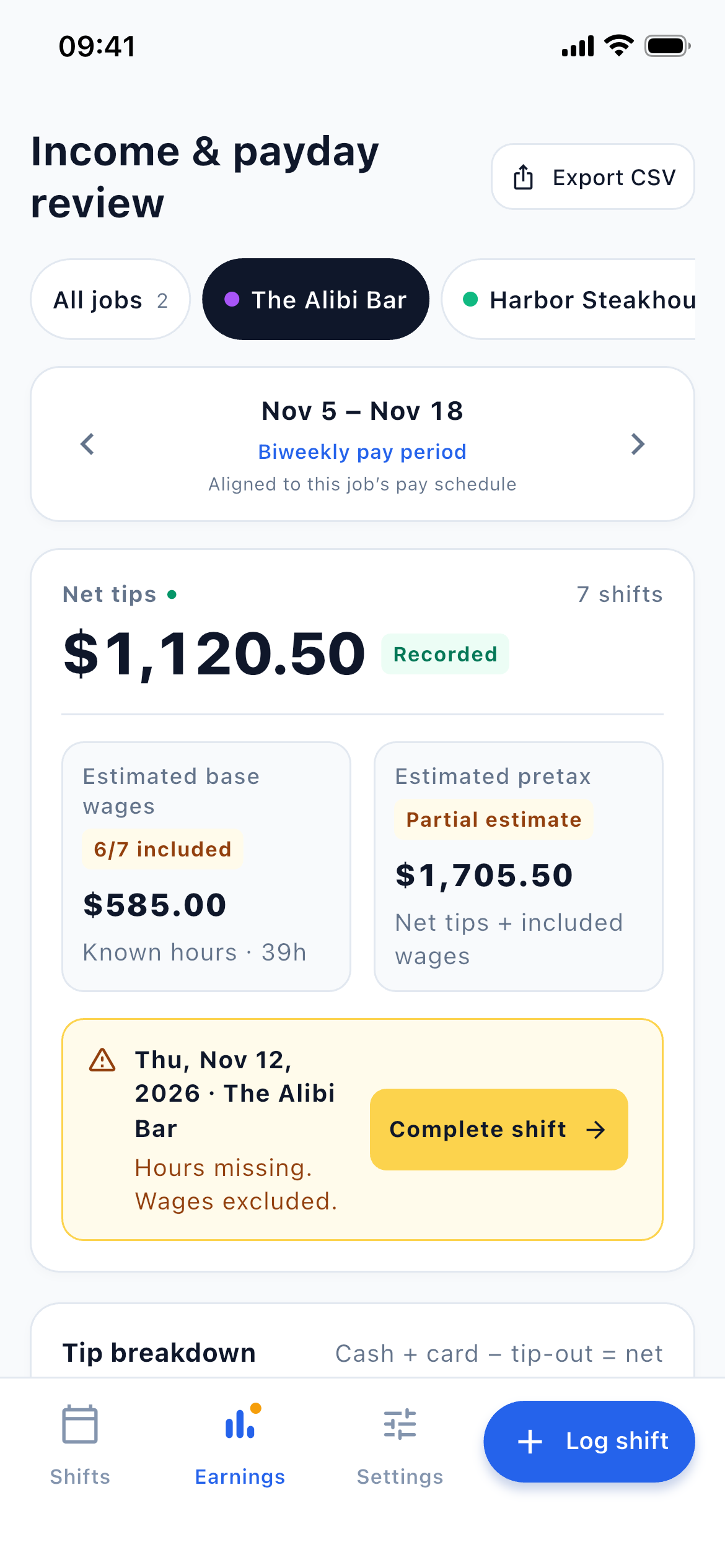
Review net tips and estimated base pay by job and date range. See how cash tips, card tips and tip-outs add up.
Choose a job to follow its pay cycle. Open the notice for incomplete records to find shifts missing hours or an hourly rate.
Set default hourly pay and a pay cycle for each job. Check backup status and find your import and recovery options in the same place.
Bring in supported ServerLife or CSV records, save a full backup or restore a copy when you need it.
How do I back up or change phones?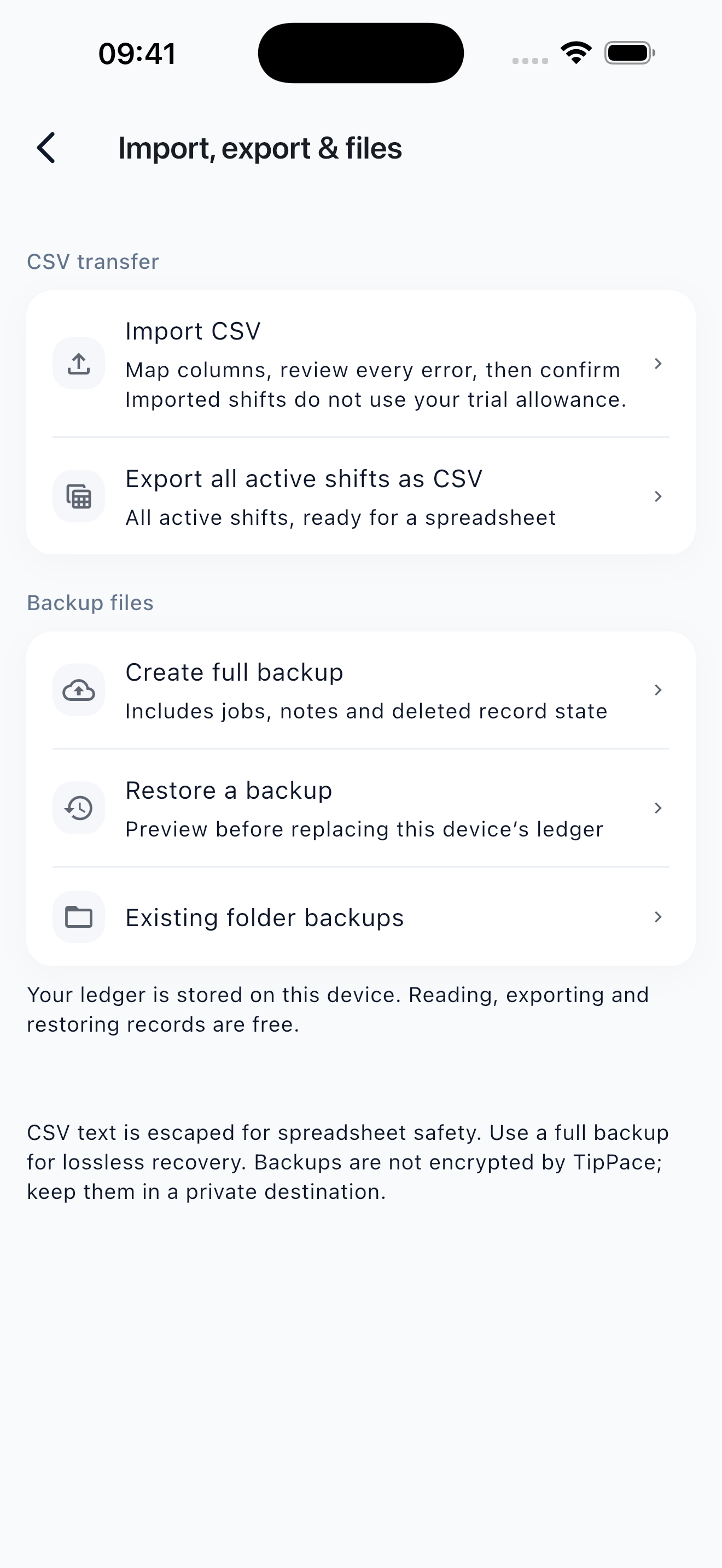
Planned for TipPace 0.2.0. Your regional store will show the final price.
USD $0
Planned one-time US price
USD $19.90
| Availability | In preparation |
|---|---|
| Platforms | iOS & Android planned · USD / CAD ledger · No sign-up |
| Free use | 20 manual shifts with no time limit |
| Data & account | CSV import and export · Full backup and restore |
| One-time Pro | Planned one-time US price · USD $19.90 · Canada · CAD $24.90 |
10 app languages: English, Simplified Chinese, Traditional Chinese, Spanish, French, German, Portuguese, Italian, Japanese and Korean. Choose USD or CAD before your first entry. Each ledger uses one currency; existing ledgers stay in USD. There is no currency conversion, and changing the interface language does not change the ledger currency. This website offers 11 languages; Russian is website-only. Chinese pages show Simplified Chinese previews; other pages show English previews.
Choose USD or CAD before your first entry. Each ledger uses one currency; existing ledgers stay in USD. There is no currency conversion, and changing the interface language does not change the ledger currency. Pay and earnings are pre-tax estimates based on your entries, not a replacement for an employer’s payslip, tax filing or statutory overtime calculation.
TipPace installs as a separate iOS app. Your earlier app keeps its own ledger. To bring it over, export a full JSON backup from the earlier app or TipPace on your old device, then preview and restore it in TipPace. On iOS, using the same Apple Account also lets you restore a compatible iCloud backup shown in TipPace. Confirming a restore replaces the ledger on this device.
Supported CSV files can be imported after matching fields. Check dates, hours, net or gross amounts and duplicates in the preview. Export formats vary between apps. Keep the original file and a full backup of your current ledger until you have checked the result. CSV imports do not use the trial allowance.
For version 0.2.0, new users can try 20 manual shifts with no time limit. After that, new manual entries, comparisons and new PDFs require Pro. The planned one-time prices are USD $19.90 in the US and CAD $24.90 in Canada. Your regional store will show the final price. Pro purchases for the earlier app stay with that app. To restore TipPace Pro, use Restore Purchases with the store account that bought TipPace Pro.
TipPace is being prepared for release. Store downloads and public beta access are not available here yet.
support@hihihiai.com